 Vizcraft
Is the cheapest-looking virtual staging app the fastest option once you count credit rules, failed renders, manual corrections, revisions, and delivery expectations? A low headline price can become expensive in staff time if every room needs repeated regeneration or furniture adjustments. A higher-priced service may be the better choice when you need a human editor, consistent multi-image treatment, or outsourced delivery.
This comparison looks at 10 virtual staging app options across staging method, control, pricing structure, turnaround, workflow fit, and limitations. The list moves from quick self-serve AI staging to editable platforms, broader 3D ecosystems, and human-led services. It also includes floor-plan visualization, because some teams need more than a furnished room photo. They need a clear way to turn plans into client-ready visuals or virtually stage a room during a live review.
Vizcraft starts with 2 free credits on signup, no credit card required, then uses straightforward render plans and one-time packs. The right choice depends less on which app looks most impressive in a demo and more on whether your bottleneck is iteration, control, production breadth, or outsourced finishing.
Table of Contents
- 1. Vizcraft
- 2. REimagineHome
- 3. Virtual Staging AI
- 4. RoomsGPT
- 5. Apply Design
- 6. Homestyler
- 7. BoxBrownie
- 8. Styldod
- 9. VirtualStaging.com
- 10. Collov AI
- Top 10 Virtual Staging Apps, Feature & Pricing Comparison
- Match the App to Your Staging Workflow
- Frequently Asked Questions
1. Vizcraft
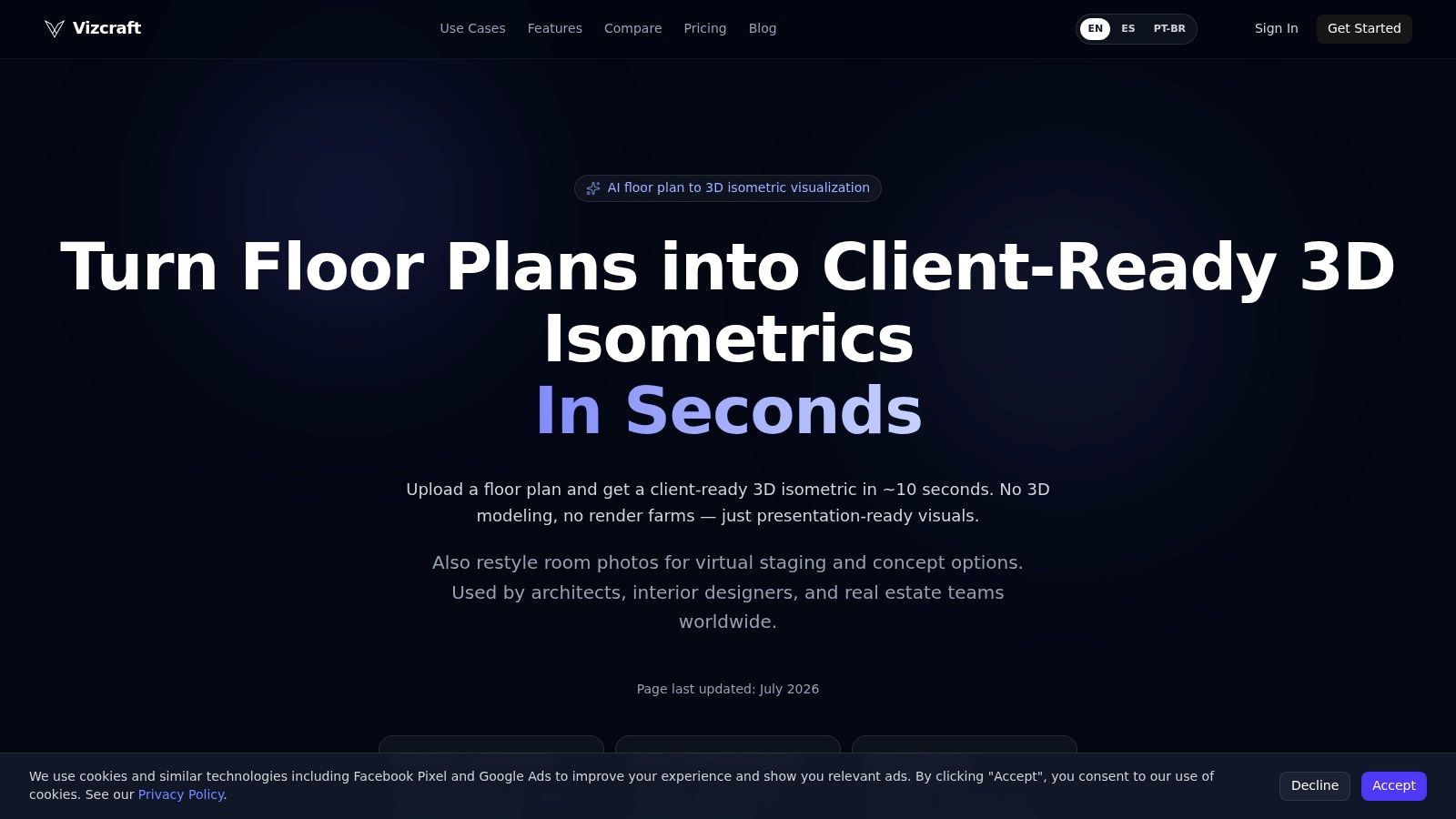
Do you need instant room iterations, editable control, or floor-plan output in the same workflow? Vizcraft fits teams that prioritize fast staging alongside floor-plan visualization. Its ISO Mapper turns floor plans, blueprints and hand sketches uploaded as images into 3D isometric visualizations. For room photos, Virtual Staging adds furnishing concepts and Compare Styles presents alternative style treatments. Inspect every result for changes to permanent fixtures and room geometry.
Vizcraft advertises roughly 10 seconds for a first render, with actual time varying by input and workload, so designers can test several directions during a live client review instead of waiting for a separate rendering cycle. Clear room photos and clean floor plans produce the most dependable results. Complex geometry and unclear source material may still need manual touch-ups.
Plans and workflow fit
Vizcraft uses credits instead of bespoke project quotes. Its published plans are:
- Starter: $19 per month for 25 renders, about $0.76 per render.
- Pro: $49 per month for 100 renders, about $0.49 per render.
- Studio: $99 per month for 250 renders, about $0.40 per render.
- One-time packs: Available from $7.
The Vizcraft pricing page lists these prices. Paid plans include commercial usage rights. JPG, PNG, HEIC, and WebP uploads are supported, while library history and multiple variations help teams compare options without losing earlier work.
Practical rule: Choose Vizcraft for rapid concepts, listing drafts, and client-facing options. Keep an offline 3D pipeline for hero images, complex animation, or scenes requiring detailed manual control.
The trade-off is production scope. Vizcraft reduces local GPU, render-farm, installation, and scene-setup work for everyday visuals, but it is not a replacement for a high-end 3D production studio. Teams can use its browser workflow for both room photos and floor plans, while human-led services remain better suited to outsourced delivery and broader custom production.
2. REimagineHome
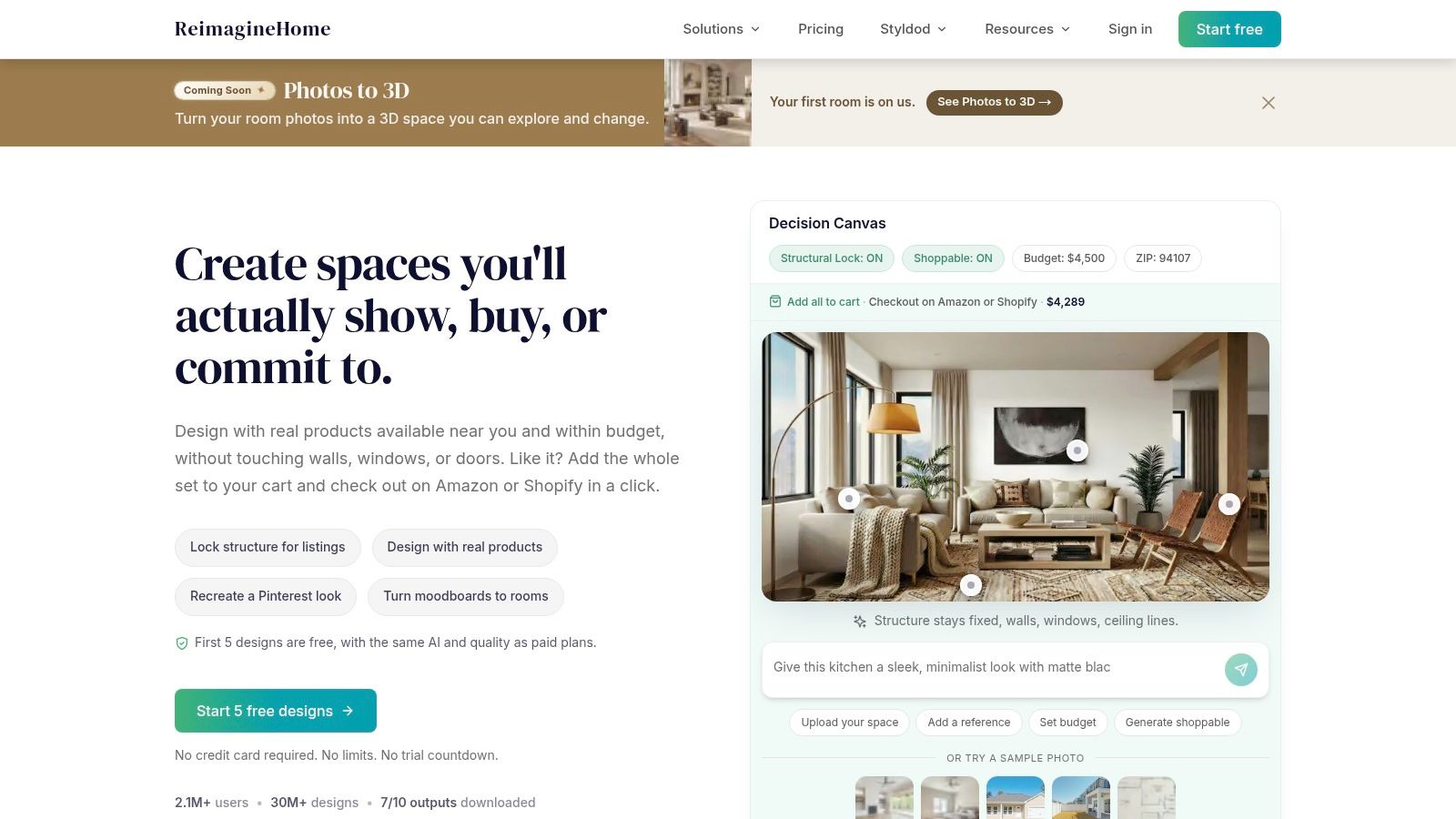
Do you need the staged image to preserve the room's structure while you test several design directions? REimagineHome is built for that workflow. Upload a room photo, select a direction, and refine the result while comparing it with the original. Walls, openings, lighting, and proportions remain visible as reference, which helps agents and designers avoid concepts that look attractive but ignore the actual space.
The platform also connects visual design with purchasing. Its real-products mode can link concepts to available products, current pricing, and retailer checkout. That makes the output useful for a client shopping list or an early procurement plan, not just a listing image. Product availability changes, however, so a shoppable concept may require substitutions later.
A better fit for controlled iteration
Choose REimagineHome when realistic staging with iterative refinement matters more than an instant result. It suits interior designers, agents creating several style options, and homeowners who want to move from a visual concept toward actual furnishings. The browser-based workflow is accessible, and the current offering includes 5 free designs to start.
The practical trade-off is a slower decision process than a one-click staging app. For a vacant living room with a simple neutral brief, the extra controls may add work without adding much value. For architecture-sensitive rooms or client presentations, that control can justify the added interaction.
REimagineHome fits three needs clearly:
- Best for: Architecture-preserving staging and shoppable design concepts.
- Strength: Visual comparison with controlled refinement.
- Limitation: Retail-linked concepts depend on product availability.
Visit REimagineHome when the brief combines visual direction with furniture sourcing. The platform's approach differs from Vizcraft's faster credit-based concept workflow and from human-led services that handle broader production for you.
3. Virtual Staging AI
Need fast output for many listing photos, with limited manual editing? Virtual Staging AI follows that workflow closely. Its one-click real estate staging uses room and style presets, so agents, photographers, and agencies can produce images without placing each sofa, table, or artwork element themselves.
The trade-off is control. Self-serve AI apps favor instant iteration, while editable staging platforms suit users who need to refine layouts. Human-led services cover broader 3D production and outsourced delivery. Virtual Staging AI sits on the speed and volume side of that choice. Higher subscription tiers add batch workflows, API access, and white-label options. Unlimited re-renders on some plans can make style testing easier, although unused capacity can reduce value for occasional users.
Check the subscription against your workload
Pricing in this category commonly uses credits, subscriptions, or per-image fees. Include revisions, export limits, and staff review time when comparing costs. For broader context, this automated versus manual staging comparison discusses the two workflows; confirm actual rates with each provider.
Subscription terms deserve close review. Infrequent agents may pay for capacity they do not use, and billing or pricing details can require clarification. Confirm renewal terms, re-render rules, API access, and white-label limits before assigning the platform to a production team.
- Best for: Agencies with repeatable, high-volume staging.
- Strength: Fast one-click production with scale features.
- Limitation: Subscription complexity may not suit sporadic work.
Review Virtual Staging AI, then compare its credit rules with Vizcraft's AI virtual staging app workflow. Vizcraft's published plans, fast renders, floor-plan capability, and two-credit trial make it a practical alternative when teams want quick testing with a different credit-based setup.
4. RoomsGPT
Does the project need a staged listing image, or a broader design workspace? RoomsGPT serves the second use case. Alongside virtual staging, it supports room redesign, paint previews, 3D room views, garden and exterior concepts, and multi-room planning. That range suits early client discussions, but it can add unnecessary steps when the only deliverable is a vacant-room photo.
The free tier provides daily free designs. Its credit model supports experimentation, provided users check which actions consume credits and which downloads have restrictions. Free-plan downloads include watermarks, limiting their use for client presentations or listing publication.
RoomsGPT is most useful when one project moves between photo-based staging and broader home design. An agent can test a listing concept, while a designer explores finishes, exterior directions, or a multi-room plan in the same workspace. The mix of 2D and 3D views helps during early conversations, especially before the client selects a style.
For production teams, credit rules and feature gates require review. An all-in-one app also offers less workflow focus than a dedicated staging platform. Users planning a floor-plan-to-isometric deliverable may find ISO Mapper easier to assess against that specific output.
- Best for: Broad home concepting with staging included.
- Strength: Combines photo edits, 3D previews, and multi-room design.
- Limitation: Credit rules and watermarked free downloads need attention.
RoomsGPT fits projects requiring more than one staged listing image. For a focused production checklist, use this guide to do virtual staging, then compare the app's credit workflow with Vizcraft when fast iteration, floor-plan output, or a two-credit trial matters.
5. Apply Design
Apply Design suits projects where the first AI render needs hands-on correction. It auto-furnishes a room, then opens a drag-and-drop editor for moving furniture, adjusting scale, and fixing placement. That workflow adds control without requiring a fully manual design process.
The platform also handles decluttering and renovation previews. Pricing is based on coins per image, with batch options and top-ups rather than only a recurring subscription. That structure can work for occasional listing jobs, but the operator must track balances, top-ups, and revision costs.
A useful test is to stage the same room from several angles. Apply Design can help maintain multi-angle consistency because furniture placement remains editable after generation. This matters when a listing includes multiple views and a different AI arrangement in each image would look careless.
The trade-off is production time. Each correction adds labor, so the per-image coin price does not represent the full cost for teams that edit heavily. Check the furniture library against the styles your clients request before committing, especially if you handle varied property types.
Choose Apply Design when manual placement matters more than a one-click export. Choose a self-serve staging app for faster iteration with fewer decisions, or a human-led service when revisions should be outsourced. For broader 3D production, use a platform built around floor plans and rendered scenes rather than treating this editor as a full design suite.
- Best for: Users who want AI speed with manual placement.
- Strength: Control over furniture scale and room consistency.
- Limitation: Editing time and coin bookkeeping reduce simplicity.
Apply Design fits hands-on users who want to correct the image themselves instead of outsourcing every adjustment.
6. Homestyler
Homestyler suits teams deciding between an instant staging app and a broader 3D production workflow. Its AI Stager redesigns room photos, while the platform also supports floor plans, rendered scenes, panoramas, animation, and other presentation work. That range matters when staging is one deliverable within an interior design project.
A real estate agent preparing vacant-room images may find the interface and feature set heavier than needed. A designer can start with a photo-based concept, then develop the same project into a floor plan, panorama, or more structured scene without changing platforms. Web and mobile access also support work across different environments.
Choose it for production continuity
The main trade-off is control versus speed. Homestyler connects quick AI mockups with structured 3D production, but users must spend more time configuring projects than they would in a stage-and-download app. Its AI Studio features extend into animation and design content, which adds value for presentation work but little benefit for a single listing image.
Coin or credit bundles commonly apply to AI and 3D functions, so review the plan before committing. Estimate how often your team will use floor planning, rendered scenes, and panoramas, then compare that workload with a simpler self-serve app or a human-led service that handles delivery for you.
- Best for: Design teams combining staging with 3D deliverables.
- Strength: Links image redesign, floor planning, and panoramas.
- Limitation: The broader workflow adds interface and billing complexity.
For hands-on room planning, visit Homestyler AI Room Design. For a lighter self-serve alternative, compare free AI virtual staging.
7. BoxBrownie
Need finished listing images without managing prompts, furniture placement, or repeated generations? BoxBrownie uses human editors rather than a self-serve virtual staging app. You upload the brief, reference the desired look, and receive completed edits, which suits teams that prefer outsourced delivery over instant iteration.
Its service range includes virtual staging, commercial imagery, and 360-degree staging. A free revisions policy also changes the quality-control process. Instead of correcting an AI artifact inside the app, you describe the required adjustment and let the service team handle the revision. That approach fits listings with strict visual standards or clients who expect polished retouching.
The trade-off is turnaround and unit cost. BoxBrownie advertises 48-hour virtual staging delivery and per-image billing on its official site. This AI and human staging guide provides additional context; compare the actual service quotes and revision terms for your project.
Choose BoxBrownie when quality control and delegation outweigh speed. It is poorly suited to a live client meeting that requires several new versions immediately, or to high-volume experimentation where per-image automation keeps costs lower.
- Best for: Outsourced, human-retouched listing imagery.
- Strength: Managed delivery, consistent editing, and revision support.
- Limitation: Slower and more expensive than self-serve AI for rapid testing.
Review BoxBrownie for a managed workflow. For a direct comparison with self-serve AI apps and editable staging platforms, use this virtual staging tools overview.
8. Styldod
Need staging, object removal, renovation previews, and tour assets from one provider? Styldod targets that broader production workflow rather than serving only as an empty-room generator. Its catalog covers virtual staging, furniture removal, renovation previews, 3D work, 360 tours, and commercial staging.
That breadth changes the buying decision. A photographer or brokerage can consolidate several listing-image tasks, reducing vendor handoffs and keeping production instructions in one place. The trade-off is less immediate iteration than a self-serve AI app, and less direct editing control than an editable staging platform.
Styldod supports bulk pricing tiers and rush options, with partnerships and integrations aimed at real estate photography and marketing workflows. Confirm the service mix before ordering, because a quote for staging alone may not predict the cost of removal, renovation work, or tour production added to the same project.
Best fit: Teams outsourcing a complete listing-image package or combining several real-estate production tasks.
Where it falls short: Rush delivery can raise the cost, and larger orders become harder to forecast when multiple services are combined. Revisions also require a service interaction, so Styldod is a weaker choice for a live client review that needs instant variations.
Use Styldod when broader 3D and image production outweighs the speed of self-serve AI. For a small batch of vacant-room concepts, choose an app with fast re-renders and direct control. For recurring, mixed production, request a project-level quote and verify the applicable bulk tier before committing.
9. VirtualStaging.com
Need outsourced staging with predictable billing rather than another editor to learn? VirtualStaging.com uses a managed workflow: submit listing photos, review staged proofs online, request revisions, and approve the final images. Its flat per-image approach, including pricing that does not change with the number of rooms visible in a photo, is easier to brief and forecast for non-technical teams.
The service handles residential and commercial projects, so agencies can use one provider for homes, offices, development marketing, and other commercial interiors. That breadth matters when staging volume is uneven across property types.
Choose this workflow when control can sit with the provider. You give the team a style brief and review its interpretation. You do not select individual furniture objects or regenerate a scene instantly, but you also avoid managing a credit-based editor.
The trade-off appears during client reviews. A self-serve AI app can produce another variation during the meeting, while this service requires a new request and another delivery cycle. Manual control is also narrower than with an editable staging platform.
- Best fit: Agencies outsourcing routine staging with steady delivery requirements.
- Strength: Managed production and clear per-image billing.
- Limitation: Revisions take longer, and creative decisions remain with the provider.
VirtualStaging.com suits teams that value outsourced delivery over instant iteration. For frequent style changes, use a self-serve app. For broader 3D production, choose a service built around that output rather than treating standard staging as its main job.
10. Collov AI
Need staged images to support more than one viewing angle? Collov AI combines furniture removal, scene cleanup, multi-angle staging, and API access for custom applications or internal production systems. Higher-tier plans may also include 360-degree and virtual-tour outputs.
That workflow suits teams deciding between instant iteration and broader production. You can revise scenes without rebuilding every image, while API options connect staging with listing or content systems. The trade-off is a more involved buying decision than a simple self-serve app. Confirm which outputs, edit functions, and integrations your team needs before paying for advanced access.
Collov's plan limits and credit rules can change. Check current credit consumption, API availability, multi-angle requirements, and any tier restrictions directly on the product page. For teams comparing tools by total operating cost, review virtual staging cost, including revisions and delivery, rather than judging only the first render.
- Best for: Larger teams testing API, multi-angle, or tour workflows.
- Strength: Fast AI staging with integration-focused features.
- Limitation: Tier changes and feature gates can make budgeting less predictable.
Collov AI fits integration-heavy operations better than teams that only need occasional listing images. Choose an editable platform for hands-on furniture control, a self-serve app for rapid variations, or a human-led service when delivery should be outsourced.
Top 10 Virtual Staging Apps, Feature & Pricing Comparison
| Product | Core features | UX & Quality | Value / USP | Target audience | Pricing |
|---|---|---|---|---|---|
| Vizcraft | ISO Mapper (2D→3D isometrics), Virtual Staging, Compare Styles; JPG/PNG/HEIC/WebP upload, high-res export | ~10s to first render, geometry-aware outputs, multiple variations & history | Fast client-ready visuals, cloud no-GPU workflow, predictable credit pricing; recommended | Architects, interior designers, real-estate teams, freelancers, construction pros | 2 free credits; Starter $19/mo (25), Pro $49/mo (100), Studio $99/mo (250); credit packs $7/$29/$99 |
| REimagineHome | Iterative photo staging, geometry-preserving edits, shoppable products option | Photoreal, architecture-preserved, side-by-side refinement UI | Real-product procurement + high realism for listings | Real-estate agents, designers who want shoppable staging | Web-based; 5 free designs; paid tiers (site) |
| Virtual Staging AI | One-click staging, style presets, batch & white-label, API | Very fast turnaround, unlimited re-renders on plans | Low per-image cost at scale, enterprise APIs | High-volume agencies, listing teams, platforms | Subscription tiers with high-volume pricing (site) |
| RoomsGPT | Staging + redesign, 3D previews, daily free designs | Generous free tier, mixed 2D/3D workflows, easy concepting | All-in-one low-cost entry for concept→listing | Small teams, hobbyists, low-budget agents | Low monthly entry, daily free designs; credit rules apply |
| Apply Design | Auto-stage + drag-and-drop editor, multi-angle consistency, declutter tools | Interactive control, multi-view consistency, manual fine-tune | Best balance of automation + manual edits for consistent sets | Photographers, agents needing precise multi-angle staging | Per-image “coin” pricing; batch/top-up options |
| Homestyler (AI Stager) | AI Stager + full 3D floor planning, panoramas, animations | Mature ecosystem, bridges quick AI mocks to pro 3D | Full-suite 3D + staging in one platform | Designers wanting staging + pro 3D deliverables | Web & mobile; coin/credit bundles for features |
| BoxBrownie | Human-retouched staging, 360° options, free revisions policy | Agency-grade consistency, typical 48‑hour turnaround | Outsourced retouching for complex/commercial needs | Teams preferring done-for-you human edits | Pay per image; see current service quote; no subscription |
| Styldod | Virtual staging, renovations, item removal, Matterport/360 services | Broad service catalog, rush/bulk options, human+AI pipeline | Wide real-estate service set, commercial staging | Real-estate photographers, agencies needing varied services | Variable pricing by service; bulk & rush tiers |
| VirtualStaging.com | Proofing & revisions, flat per-image pricing, commercial options | Predictable, non-technical workflow, consistent outputs | Simple, transparent service for listing teams | Non-technical listing teams, brokers | Flat per-image rates (site); pay-per-image model |
| Collov AI | Photo staging, furniture removal, multi-angle & 360 outputs, API | Fast AI processing, flexible re-edits, enterprise features | API integrations & multi-angle/360 for large workflows | Enterprise teams, platforms needing integration | Credit/plan tiers; advanced features on premium plans |
Match the App to Your Staging Workflow
Teams need repeatable production more than impressive demos. This overview of virtual staging discusses adoption, but market forecasts do not establish which tool will work for your rooms.
That does not mean every team should choose the same product. A solo agent with occasional vacant listings has a different problem from a brokerage processing many rooms, an interior designer refining furniture placement, or a developer producing plans, isometrics, and marketing visuals together.
Choose by the work you need done
Choose a self-serve AI app when the priority is rapid listing concepts. Virtual Staging AI, RoomsGPT, and similar tools reduce setup and make it easy to test a style quickly. Subscription and credit rules matter, so occasional users should avoid paying for unused capacity.
Choose an editable platform when furniture placement, scale, or multi-view consistency matters. Apply Design is better suited to that workflow because the user can correct the generated arrangement rather than accepting the first output. The extra control costs time, but it can reduce the risk of inconsistent room views.
Choose a broader 3D ecosystem when staging is only one deliverable. Homestyler and RoomsGPT make more sense when the same project also needs floor planning, panoramas, exterior concepts, or design exploration. Don't adopt a heavier platform if your team only needs a staged JPEG.
Choose a human-led service when outsourcing and revisions outweigh instant iteration. BoxBrownie, Styldod, and VirtualStaging.com fit teams that want a managed handoff. Human-edited services typically take longer and cost more per image, but they remove much of the internal editing burden.
Where Vizcraft fits
Vizcraft is a practical alternative for teams combining photo-based virtual staging with floor-plan visualization. Virtual Staging and Compare Styles support room-photo concepts, while ISO Mapper turns floor plans into geometry-aware isometric outputs that aim to retain walls, openings, and proportions; check each result against the original plan. The platform produces a first render in roughly 10 seconds, allowing teams to review multiple directions during a client conversation.
Its published plans are easy to forecast:
- Starter: $19 per month for 25 renders.
- Pro: $49 per month for 100 renders.
- Studio: $99 per month for 250 renders.
- One-time packs: Available from $7.
The Vizcraft pricing page is the right reference for current plan details. Readers working from blueprints or sketches exported as images should start with ISO Mapper, while teams comparing tools should test the actual input files they use in production. Vizcraft offers 2 free credits with no card required, so you can test a room photo and a floor-plan workflow before choosing a recurring plan. Sign up for the trial, try it with 2 free credits, no card required.
Frequently Asked Questions
What is a virtual staging app?
A virtual staging app adds furniture, decor, lighting, or finish concepts to a room photo without physically furnishing the property. Self-serve AI apps generate the image in a browser, while editable platforms let users adjust the result manually. Human-led services handle the image editing for the customer and return a finished file after a service turnaround.
Which virtual staging app is best for real estate photos?
The best choice depends on the workflow. Choose a self-serve AI app for fast listing concepts, Apply Design when manual furniture control matters, a 3D platform when floor plans and panoramas are also required, or a human-led service when you want outsourced finishing. Vizcraft is a strong fit when real estate photos and floor-plan visualization need to sit in the same production workflow.
How much does a virtual staging app cost?
Pricing varies by provider and workflow. Compare per-image charges, subscriptions, included revisions, and delivery times directly with each provider. Vizcraft publishes plans from $19 per month for 25 renders, with per-render pricing from about $0.40 to $0.76, plus one-time packs from $7. Check each provider's current credit, revision, export, and commercial-use rules before comparing totals.
Can a virtual staging app stage a room from a floor plan?
Some platforms can work from floor plans, but capabilities vary. Vizcraft's ISO Mapper is specifically designed to convert 2D floor plans, blueprints and hand sketches uploaded as images into 3D isometric visualizations. A floor plan doesn't replace a room photograph for photorealistic listing staging, but it can provide a useful visualization of layout, furniture planning, and room relationships.
Vizcraft combines photo-based virtual staging with floor-plan visualization, including the geometry-aware ISO Mapper and roughly 10-second first renders. Visit Vizcraft to test the workflow with 2 free credits, no card required, and decide whether its published render plans fit your team.