Last updated: August 2026Architects, interior designers, visualization teams
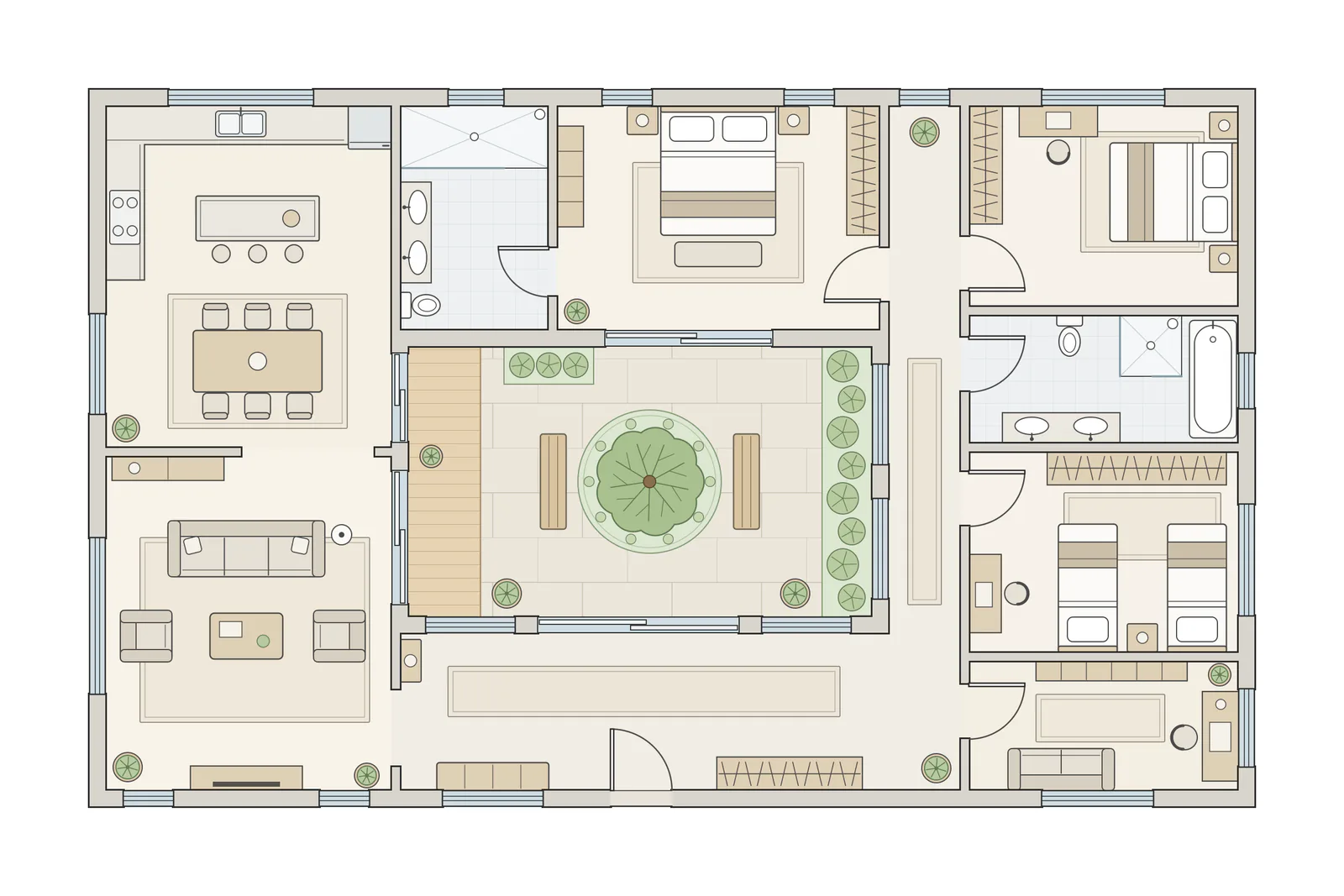
In: an architectural floor plan
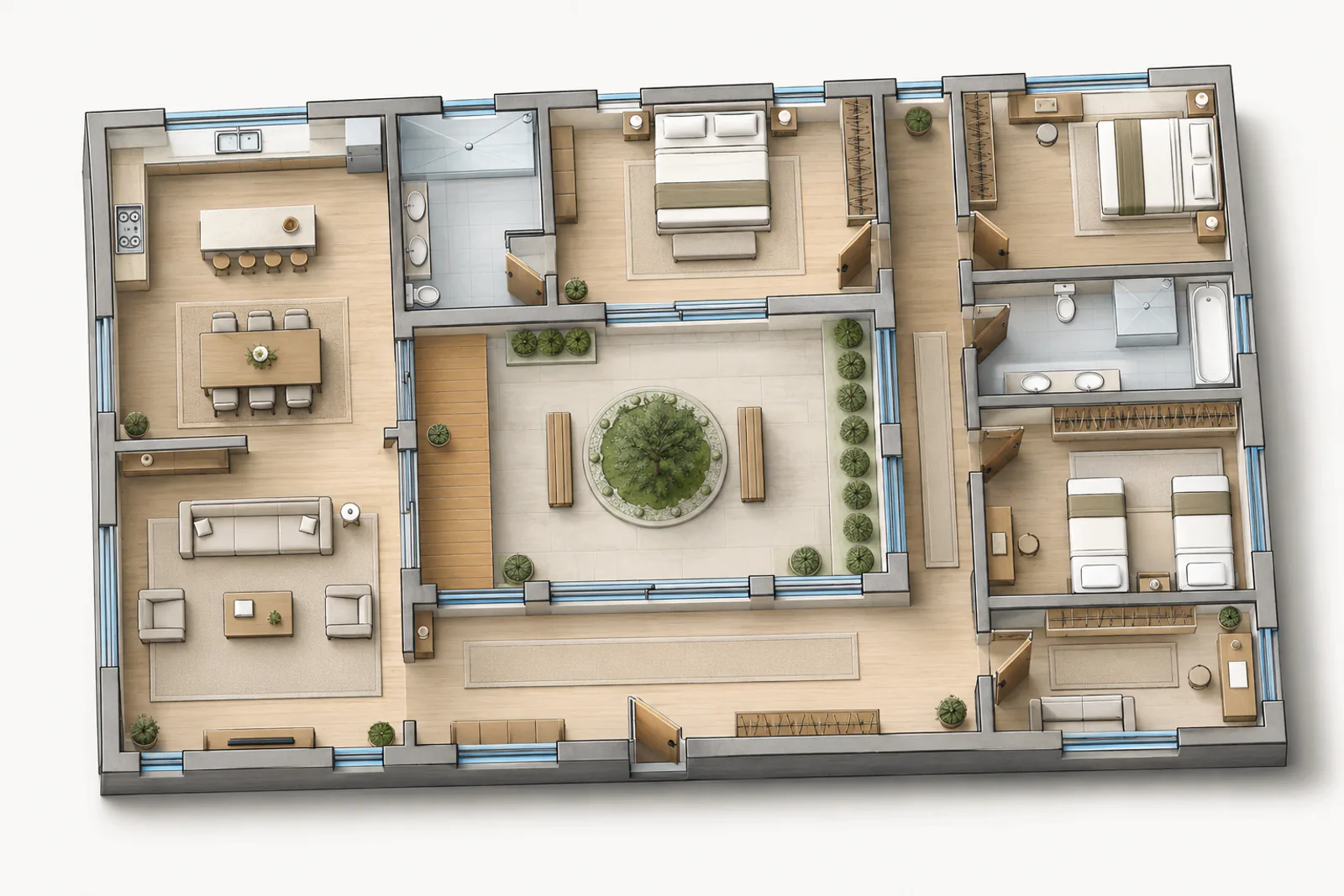
Out: 3D isometric from ISO Mapper, 1 credit
Selected example, made with Vizcraft from the floor plan shown. Results vary with the floor plan you upload. ISO Mapper, default settings.
Start from the plan you already have
Use a clean CAD export, a blueprint scan or a simple room-labeled plan, as a JPG, PNG, HEIC or WebP image. No 3D model needed.
Plans ISO Mapper reads
Input
Input: Whole-house floor planA complete plan with walls, doors, windows and furniture drawn in. It is the plan ISO Mapper turned into the isometric at the top of this page.
Also accepted
Also accepted: Simple furnished floor planAn apartment plan with clear walls, door swings and furniture symbols. Plans like this give ISO Mapper clear rooms and openings to read; results vary with the plan you upload.
For repeat floor-plan work, monthly beats one-off renders
Starter Monthly gives 25 renders for $19/mo; Pro Monthly gives 100 renders for $49/mo. That keeps per-client floor-plan experiments cheap while preserving one-time packs for overflow.
3D isometric views make room relationships, proportions, and flow immediately understandable for clients who struggle to read 2D plans.
No 3D modeling required
Skip the hours of manual modeling in SketchUp or Revit. Upload a floor plan image and get an isometric view in seconds.
Presentation-ready output
Generated isometrics are designed for client meetings, proposals, and marketing materials right out of the box.
Works with any floor plan format
CAD exports, scanned blueprints, or hand-drawn plans. If it is a clear image, ISO Mapper can process it.
How to convert a floor plan to 3D isometric
1
Export or scan your floor plan as a clean JPEG or PNG image (up to 10MB). Use high contrast, straight lines, and readable room labels.
2
Upload the image to ISO Mapper and choose the floor-plan workflow instead of a generic text-to-image prompt.
3
AI analyzes room layouts, walls, openings, and spatial relationships to create a 3D isometric floor plan view.
4
Download your 3D isometric cutaway visualization in about 10 seconds and use it in proposals, listings, or design reviews.
Fits into your existing workflow
ISO Mapper works alongside AutoCAD, Revit, ArchiCAD, SketchUp, and common PDF plan workflows. Export a plan image, upload it, and receive a 3D isometric view without building a model or managing a render queue. The output is ideal for early-stage presentations, real-estate listing visuals, renovation concepts, and client approvals when a full 3D model is not yet justified.
Authoritative references on isometric projection
Isometric views follow established drafting conventions. These sources define the projection rules teams still teach and use in practice:
Entry point to US federal standards ecosystem for engineering graphics and documentation practices.
Frequently asked questions
What is a 3D isometric view?
A 3D isometric view is a method of visually representing three-dimensional objects in two dimensions where the three coordinate axes appear equally foreshortened. In architecture, isometric cutaway views show rooms and spatial relationships from an angled overhead perspective.
How accurate is the conversion?
ISO Mapper produces a stylized isometric interpretation of your floor plan. It accurately represents room layouts and spatial relationships but is designed for presentation purposes rather than dimensionally exact modeling.
Can I use CAD exports directly?
Yes. Export your CAD drawing as a JPEG or PNG image and upload it to ISO Mapper. The AI processes standard image formats, so any CAD tool that can export images will work.
Does it handle multi-story plans?
Currently, ISO Mapper processes one floor plan at a time. For multi-story buildings, upload each floor separately and use the outputs together in your presentation.
Is this the same as converting a floor plan to a 3D model?
ISO Mapper creates a presentation-ready 3D isometric visualization from a 2D plan. It is faster than manual 3D modeling, but it does not replace BIM or CAD when you need editable geometry, schedules, or construction documents.
What floor plan image works best?
Use a high-resolution, orthogonal plan with dark wall lines, clean room boundaries, and minimal compression. Cropped phone photos and low-contrast scans can work for ideation, but clean exports produce stronger 3D floor plan views.