Will Vizcraft add solar panels?
Only as an impression: you can ask for them in the notes, but always engineer real PV layouts separately.
Communicate natural cladding, deep overhangs, and crisp detailing with Vizcraft. Redesign a home's exterior from one photo in Exterior Studio.
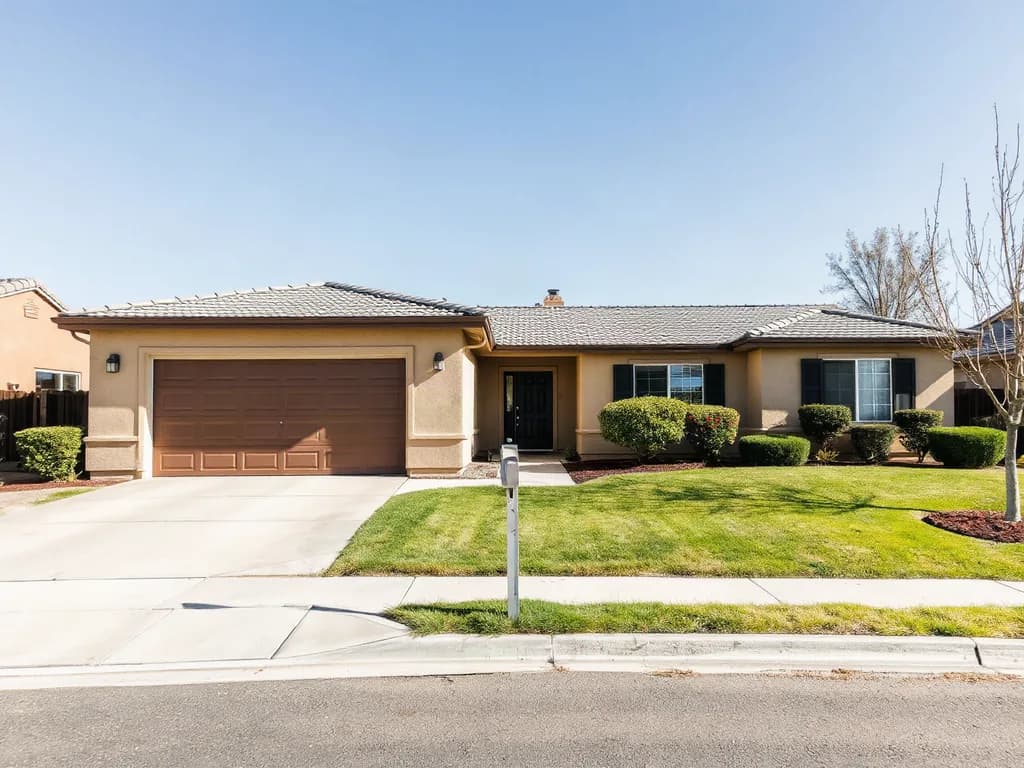
In: a generated photo of a fictional house
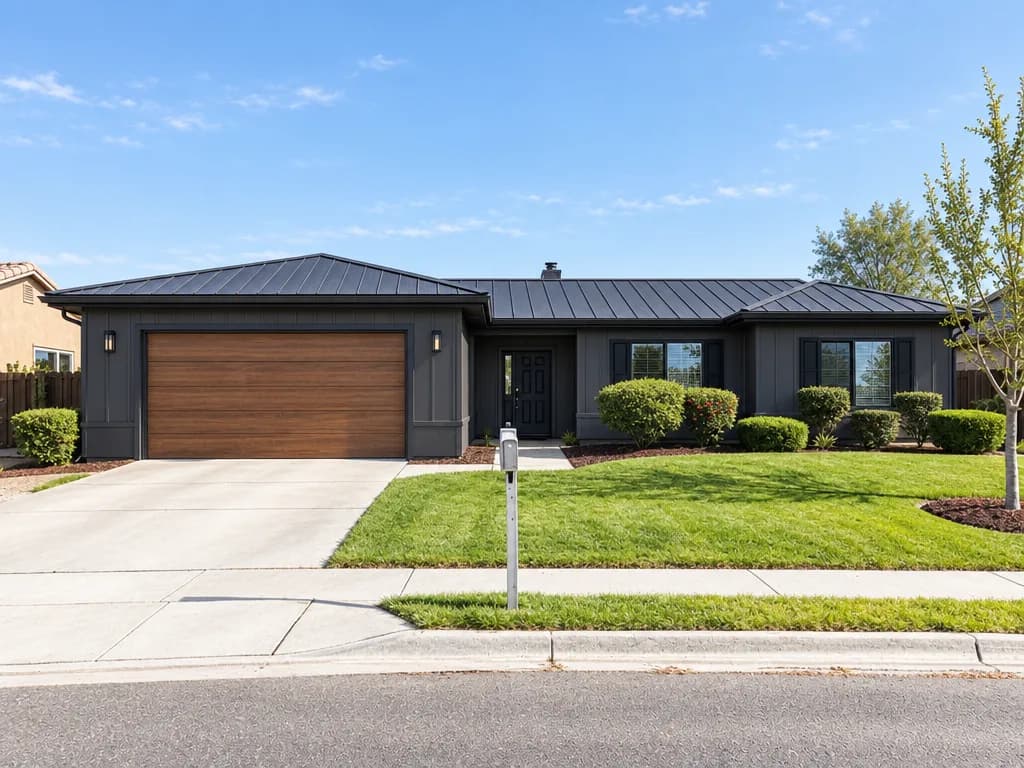
Out: Contemporary remodel from Exterior Studio, 1 credit
Show roof planes and shading devices so Exterior Studio can read the house before it redesigns it.
Upload the photo to Exterior Studio, pick a style direction, and describe wood-look cladding, deep overhangs, and crisp detailing in the notes.
Check each render against your plan or photo, then run it again or switch style until the finishes and materials fit the brief.
Download the images from Vizcraft for client boards, proposals, or listing materials, with no render farm or 3D model.
Only as an impression: you can ask for them in the notes, but always engineer real PV layouts separately.
As an impression, yes. Regenerate in Exterior Studio until the cladding depth reads the way you want, then detail the real assembly in your drawings.
Use Vizcraft renders as imagery alongside performance modeling data for juries.
Try Vizcraft with your own floor plan or photo. 2 free credits, no card.